

The Scream franchise’s chilling figure is a horror icon. It’s known for its stark mask and eerie voice.
Now, fans and creators can get that horror movie voice. AI voice generators and voice changers can make it digital.
Platforms have libraries of voices, including Scream Ghostface. This tech is opening new doors for digital content.
Gamers, streamers, and horror fans can use these tools. Our guide shows how to get this iconic sound for your projects.
Defining the Ghost Face AI Voice Phenomenon
Now, anyone can recreate the Ghost Face voice thanks to AI. This uses advanced software to copy the villain’s sound exactly. It’s where old pop culture meets new tech.
The aim is more than just a spooky sound. It’s to capture Roger L. Jackson’s unique voice. This vocal replication goes beyond simple filters, aiming for a real copy for new projects.
The Anatomy of a Horror Icon’s Voice
Ghost Face’s voice is instantly known. Roger L. Jackson’s voice is deep and gravelly, both close and scary. It’s slow and builds suspense with each word.
His voice has a low growl, a metallic sound, and a breathy feel. It’s flat but intense, switching between soft taunts and loud demands. This mix makes the voice unforgettable.
Why AI is the Perfect Tool for This Vocal Replication
Old voice changers can’t match real speech. But AI voice synthesis is made for this. It learns from huge speech datasets to mimic human speech.
Tools like Podcastle’s AI Voices show how AI can make speech sound real. They learn from high-quality recordings of Jackson’s voice. This lets them recreate the character’s voice accurately.
AI doesn’t just change the sound; it rebuilds the speech pattern. It copies how phrases are stretched, where breaths are taken, and how menace is shown. This means fans and creators can use this iconic voice in new ways.
So, AI voice synthesis offers a new level of control and accuracy. It lets people explore the Ghost Face persona in new audio projects.
Understanding the Scream Source Material
To get Ghost Face’s voice right, start with the source material. Skipping this step leads to a poor imitation. A detailed study is needed to capture the voice’s unique terror.
Key Vocal Tics and Line Delivery of Ghost Face
Ghost Face’s voice is a deep, raspy rasp with a metallic filter. This is thanks to the voice-changer in the film. The line delivery is also key.
The killer asks questions in a calm, casual way. Then, they suddenly become intense. Menacing pauses add to the drama, making fear grow. Cold, mocking laughter contrasts with the threats, making it unsettling.
“Do you like scary movies?”
This line shows the killer’s mix of curiosity and threat. The delivery is steady, but the malice is clear. A thorough vocal analysis must note the rhythm, word emphasis, and volume changes.
Sourcing High-Quality Reference Audio for Analysis
Good references are essential for your AI model or your own voice work. You need pristine reference audio. Look for clips with little background noise or other voices.
Great sources include isolated dialogue scenes, official trailers, or sound design interviews. Movie audio platforms can also be helpful. You want several clear samples of different lines and emotions.
Clean audio helps you study the voice’s texture and pacing. It also prepares your AI or voice tools for better results. For more ideas on voice projects, check out community examples.
This vocal analysis phase is critical for your later choices. With a good set of references, you’re ready to pick the right tools.
Essential Tools and Software for AI Voice Generation
Creating a convincing AI Ghost Face voice needs the right tools. You need software that can generate voices and control them well. Your tools should include AI voice generation platforms and audio editing software.
Top AI Voice Platforms: ElevenLabs, Murf AI, and Respeecher
For voice generation, you need special AI platforms. They use machine learning to mimic voices. ElevenLabs, Murf AI, and Respeecher are top choices for horror voices.
ElevenLabs is great at cloning voices. It creates natural, emotive voices from short samples. This is perfect for capturing Ghost Face’s unique voice before adding effects.
Murf AI is a natural voice generator with many voices. You can adjust pitch, speed, and tone to create a scary voice from text. It’s a different way to get a chilling voice.
Respeecher is for high-quality voice swapping. It’s great for making changes to existing voices. It offers studio-grade precision for film-quality output.
Comparing Features for Horror Voice Creation
Choosing a platform depends on your project’s needs. The table below shows their features for horror voices.
| Platform | Core Strength | Horror Voice Suitability | Customisation Depth | Best For |
|---|---|---|---|---|
| ElevenLabs | Voice Cloning & Realism | High – captures unique vocal quirks | Moderate (focus on cloning accuracy) | Projects starting from a specific actor’s sample |
| Murf AI | Text-to-Speech & Voice Library | High – fine-tuned pitch/speed control | High (multiple speech parameters) | Generating original sinister dialogue from scripts |
| Respeecher | Professional Voice Conversion | Very High – studio-quality output | Very High (advanced model training) | High-fidelity projects like short films or podcasts |
Supplementary Audio Editing Software
AI platforms give you the voice, but editing makes it terrifying. Tools like Voicemod or MorphVOX add live effects. They’re great for streaming or recording.
For recorded projects, dedicated editors are key. They let you clean up audio, layer sounds, and add effects. This turns a good AI voice into a horror icon.
Utilising Audacity and Descript for Post-Production
Two top apps for finishing work are Audacity and Descript.
Audacity is a free, powerful audio editor. It’s great for noise removal, normalisation, and EQ. You can also experiment with reverb and distortion.
Descript edits audio by text. It’s perfect for refining dialogue pacing. You can cut out breaths, tighten pauses, or overdub corrections by typing.
Together, ElevenLabs or Murf AI create the voice, and Audacity and Descript shape it. The right tools make the nightmare real.
Preparing Your Audio Foundation
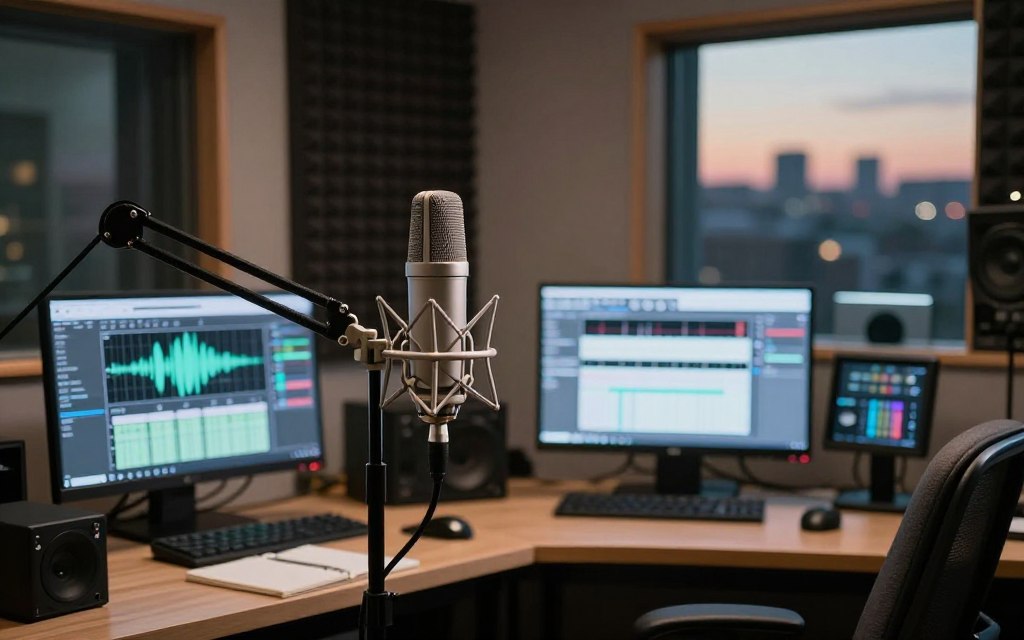
Think of your audio sample as the raw clay. Its purity determines what the AI sculptor can create. This principle, often called “garbage in, garbage out,” is key in AI voice generation. While some platforms like Podcastle generate speech from typed text, creating a specific character voice like Ghost Face requires a clean, custom audio foundation for the AI to analyse and transform.
Recording or Selecting an Optimal Base Voice Sample
Your first decision is sourcing the base material. You can record your own voice or select a pre-existing sample. For the most control and authenticity, recording your own is often best.
If you choose to record, follow these core principles. First, find a quiet, acoustically treated space. A closet full of clothes or a small room with soft furnishings works well to dampen echo. Second, use the best microphone you can access. A dedicated USB or XLR condenser mic captures vocal detail far better than a laptop or phone microphone.
When delivering your lines, speak clearly and at a consistent volume and pace. You are not performing the final scary voice yet. You are providing a clean, neutral voice recording for the AI to later modulate. Aim for a flat, emotionless delivery of the script you wish to convert.
If using a pre-recorded sample, ensure it meets high standards. Look for audio free from background music, heavy effects, or multiple overlapping voices. A solo, clear speaking voice is the ideal audio sample.
Cleaning and Normalising Your Audio Input
Even a good recording needs polishing. This step removes imperfections that can confuse the AI. Free software like Audacity is perfect for this task.
Start by importing your file. Listen for background hiss, hum, or random clicks. Use the Noise Reduction effect. First, select a few seconds of pure background noise (like room tone) to get a “noise profile.” Then, apply the effect to the entire track to clean it subtly.
Next, address any loud pops or clicks with the Click Removal tool. For plosive sounds (like hard ‘P’s and ‘B’s), a pop filter during recording is best, but a high-pass filter set around 80Hz can reduce low-end rumble afterwards.
The final step is normalising audio. This process adjusts the volume of your entire clip to a standard, optimal level without causing distortion. In Audacity, use Effect > Normalise. Set the peak amplitude to around -3.0 dB. This gives the AI a strong, consistent signal to work with, maximising the quality of its output.
To summarise the equipment impact on your initial recording, consider this comparison:
| Microphone Type | Best Use For | Impact on Audio Sample Quality |
|---|---|---|
| Built-in Laptop/Phone Mic | Quick reference, not final projects. | Captures significant room noise and lacks vocal clarity. Not ideal for AI processing. |
| USB Condenser Microphone | Beginner to intermediate content creators. | Provides a clear, detailed voice recording suitable for AI analysis. Excellent value. |
| XLR Condenser Microphone (with Audio Interface) | Professional voice work and studio environments. | Delivers broadcast-quality audio samples with minimal noise and maximum detail for the AI. |
Investing time in this preparatory stage is non-negotiable. A clean, normalised audio file is the strongest foundation you can give to any AI voice platform, setting the stage for a truly convincing Ghost Face transformation.
The Core Creation Process: A Step-by-Step Guide
With your cleaned audio sample ready, you now reach the key stage of AI voice generation. This guide breaks down the process into easy steps, working for most major platforms. Success depends on careful settings and a patient, detailed approach.
Step 1: Platform Selection and Initial Model Configuration
Your first choice is picking the right tool for your goal. For a direct text-to-speech approach, Podcastle or Murf AI are great. You just pick a ‘Ghostface’ style voice from their library.
For a custom voice cloning project using your own sample, ElevenLabs or Respeecher offer advanced control. After choosing your platform, setting up the initial model is key.
Setting Parameters for Stability, Clarity, and Style Exaggeration
Modern AI voice tools have sliders or numbers for key parameters. Adjusting these right shapes your initial output.
- Stability: A higher setting makes speech smoother but can sound flat. A slightly lower setting adds more natural, erratic emotion—great for a menacing tone.
- Clarity: This controls how clear and sharp the voice is. While high clarity is usually good, reducing it a bit can add a muffled, mysterious quality.
- Style Exaggeration (or Similarity): This is your main tool for adding menace. Increasing this parameter makes the AI amplify the sinister nuances from your reference audio.
Step 2: Inputting Your Sample and Generating the First Iteration
Now, input your prepared audio foundation. For voice cloning, upload your clean, normalised WAV file. For text-to-speech, just type your script—classic lines like “What’s your favourite scary movie?” work well for testing.
Generate your first audio clip. See this as a baseline prototype. Don’t expect perfection. The goal is to hear how the AI interprets your source material with the initial settings. Export this file for critical comparison.
Step 3: Analysing Output and Refining Through Iteration
This is where the real work starts. Listen to your first output alongside the original Ghost Face reference. Ask specific questions: Is the pace too slow? Does it lack a metallic rasp? Is the laughter unconvincing?
Based on your analysis, go back to the platform’s settings. Make small, incremental adjustments:
- Adjust speech speed for a more deliberate, threatening pace.
- Modify pitch slightly to find the right balance between human and distorted.
- Tweak the stability and style exaggeration parameters again based on your findings.
Generate a new version. Compare it to both the previous iteration and the reference. This cyclical process of iteration is key to AI voice generation. Each cycle should bring you closer to the iconic sound, refining the horror and clarity mix.
Advanced Refinement and Post-Processing Techniques
To master the Ghost Face voice, you need to go beyond basic generation. This is where you add the character’s sinister soul to a technically accurate voice. It’s about shaping the sound and adding details that make it unsettling.
Using Equalisation and Modulation to Achieve the Metallic Tone
The iconic sound is not just a voice; it’s a voice filtered through a device. To get that tinny, distorted phone filter, you must tweak the frequency spectrum. Equalisation (EQ) is your main tool for this.
Start by opening your cleaned audio file in a programme like Audacity. Your aim is to cut the warm, low frequencies and boost harsh mid and high ranges. This mimics the cheap microphone effect seen in films.
Here are some practical adjustments:
- High-Pass Filter: Use a gentle slope to remove frequencies below 100Hz. This removes rumble and makes the base thinner.
- Mid-Range Boost: Slightly boost the area between 1kHz and 3kHz. This highlights the nasal, intelligible part of the speech.
- High-Frequency Shelf: Add a subtle lift above 5kHz to introduce a metallic sheen and sibilance.
Then, add minor modulation effects like a subtle chorus or flanger. These add unnatural vibration. The result should be a voice that feels artificially confined, losing its natural resonance for a chilling emptiness.
Adding Menacing Breaths, Pauses, and Laughter
The Ghost Face’s power often lies in what isn’t said. Menacing breaths, dramatic pauses, and cold, mocking laughter are sound effects that define the performance. These elements are rarely generated well by AI and are best added manually.
You can find these sounds in free libraries, like those in Podcastle’s editor, or record them yourself. When recording, speak closely to the microphone and exaggerate the breathiness or the slow, controlled exhale of a laugh.
In your audio editor, place these clips strategically within the dialogue. A long, slow breath before a key line builds anticipation. A pause after a question lets the dread sink in. Seamless blending is key. Use volume automation to make the breath fade in naturally, and apply the same EQ settings to ensure tonal consistency.
This manual curation of silence and sound transforms a monologue into a dynamic, unpredictable, and far more frightening encounter.
Legal and Ethical Considerations for Use
Before sharing your AI-generated Ghost Face voice, it’s key to know the copyright and ethical rules. This tech is great for creativity, but using it wisely is essential. The Ghostface character, with its unique voice and look, is not free for anyone to use. It belongs to Spyglass Media Group and others.
While making a voice inspired by Ghostface for fun or creative projects is okay, using it for money or to trick people can lead to big legal problems. Also, using deepfake tech and voice cloning raises big ethical questions.
Navigating Copyright and Intellectual Property of the Character
Copyright and trademark laws protect original works, like fictional characters and their traits. The Ghostface from the Scream movies is a clear example. Using its voice for sale, ads, or sharing it as is likely breaks these laws.
But, fair use law gives some room for certain uses. Making parody, scholarly work, or fan content might be okay, as long as it changes the original and doesn’t hurt its value.
It’s a tricky area. Using the voice for a non-profit film is different from using it to sell something. The main thing is your intent and how it changes the original. The table below helps you see how your project might stand.
| Use Case Scenario | Legal Consideration | Risk Level |
|---|---|---|
| Creating a voice for a parody horror podcast episode. | Likely protected as transformative fair use. | Low |
| Selling phone ringtones of the AI Ghost Face voice. | Commercial exploitation; high risk of copyright infringement. | High |
| Using the voice in a non-monetised fan film on YouTube. | Grey area; depends on transformative nature and takedown claims. | Medium |
| Impression or homage in a film review video. | Generally considered commentary or criticism, often fair use. | Low |
| Direct replication for a prank call intended to deceive or frighten. | Raises significant ethical and legal issues beyond copyright. | High |
Ethical Guidelines for AI Voice Projects and Deepfakes
Using AI wisely is just as important as following the law. The power to mimic voices comes with a big responsibility. This is even more true with deepfake audio, which can make it hard to tell what’s real.
Following ethical rules makes sure your work adds to the creative world in a good way. The main rule is to use this tech for good, not for harm or tricks.
- Never use the voice for harassment, threats, or to incite fear. While some might see it as a prank, using a horror icon’s voice to scare people is wrong and could be illegal.
- Avoid all forms of impersonation for fraud. Don’t use the voice, or any AI voice, to pretend to be someone else for money or to spread lies.
- Obtain clear consent if your project involves using a real person’s voice who is not famous.
- Be transparent about AI use. When sharing, say if the voice was made or changed by AI, if people expect it to be real.
- Respect the original creators. Give credit to where your idea came from and know your rights don’t override the intellectual property rights of others.
The aim is to encourage new ideas while protecting people and respecting art ownership. By focusing on these legal and ethical points, you can explore AI voice tech safely and with integrity.
Practical Applications and Use Cases
The Ghost Face AI voice is more than a fun feature. It’s a useful tool for many creators. It can be used in various projects, adding a chilling touch to your work.
Content Creation for Horror Channels and Podcasts
This AI voice is great for horror creators. It offers a consistent, iconic sound without needing a voice actor. It’s perfect for creating a brand’s sound.
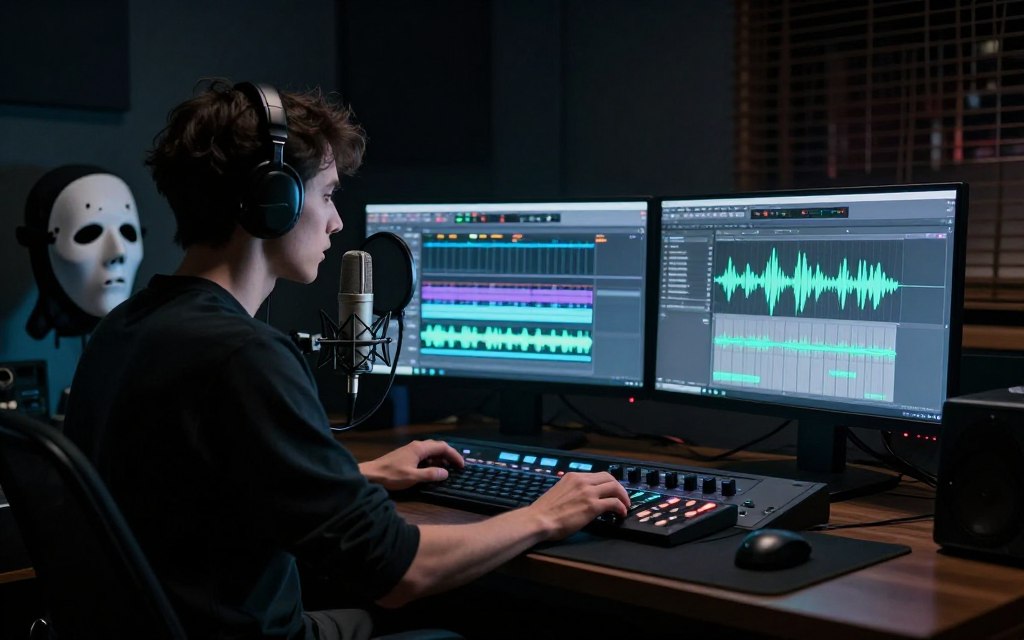
- Podcasting: Use it for dramatic starts and ends, or as a narrator for scary stories. It’s also good for a sinister character in your show.
- YouTube & Video: Make horror game reviews and film analyses sound better with it. It’s great for channels needing a mysterious narrator.
- Marketing Campaigns: Create spooky audio for Halloween ads and horror game launches. The voice grabs attention instantly.
- Personal & Real-Time Use: Use it with Voicemod for voice changes on Discord. It adds fun to gaming and streaming.
Creative Projects in Filmmaking and Interactive Media
Independent filmmakers and digital artists can use this tech to save money. The AI voice is good for dubbing, villain monologues, and eerie sounds in short films.
It helps with editing, letting you control the voice delivery. This is a big plus in post-production.
In interactive media, the possibilities are exciting. Game developers can use it for horror game mods. Streamers can use it for subscriber alerts and live moments.
It can also be used in virtual worlds like VRChat. Users can role-play as the iconic character with real voice presence. This shows how AI voice tech can enhance immersive entertainment.
Troubleshooting Common AI Voice Issues
When your AI voice sounds robotic, not like a horror icon, there are steps to fix it. This guide helps with common problems, like unnatural speech and poor-quality recordings. Follow these steps to make your voice sound menacing.
Fixing Robotic Artefacts and Unnatural Speech Patterns
A common issue is when your voice sounds stiff or synthetic. This often happens when the AI model is too stable. To fix this, adjust your settings and use creative editing.
Start by checking your AI voice platform’s advanced settings. ElevenLabs has ‘Stability’ and ‘Clarity’ sliders. Lowering stability and adjusting clarity can make your voice sound more natural. Adding manual variance can also help.
“The key to a believable horror voice isn’t perfection—it’s controlled imperfection. A slight stumble or a breath held too long sells the character.”
Next, use post-processing tools like Audacity or Adobe Audition. Use equalisation to shape the tone. Cut the mid-range frequencies and boost the high-end to add a sharp edge.
| Common Issue | Likely Cause | Recommended Solution |
|---|---|---|
| Monotone, robotic delivery | Excessive ‘Stability’ setting; lack of prosodic data in source. | Lower the stability slider; add manual pitch/pace edits to the script. |
| Metallic, harsh resonance | Over-emphasis on high frequencies during generation or post-processing. | Apply a gentle high-shelf EQ cut above 8kHz; use a de-esser plugin. |
| Unnatural pauses or phrasing | AI misinterpreting sentence structure from text input. | Break script into shorter phrases; use punctuation (commas, ellipses) for pacing cues. |
Improving Results from Suboptimal Source Material
Your AI model’s quality depends on the audio you give it. Suboptimal source material can make your clone sound bad. But, there are ways to improve it.
First, try re-recording your base sample. Use a quiet room and the best microphone. If that’s not possible, audio restoration software can help.
- Noise Reduction: Tools like iZotope RX or Audacity’s noise profile can remove hums, fans, and background hiss.
- Normalisation and Compression: Even out volume levels to ensure the AI analyses a consistent signal.
- High-Pass Filtering: Cut out low-frequency rumble below 80Hz that adds muddiness.
If all else fails, change your approach. Use a high-quality, neutral voice from your platform’s library. Then, add the Ghost Face character with post-processing.
Dealing with troubleshooting is part of the AI voice generation process. By fixing robotic artefacts and improving your source audio, you can create a more terrifying result. Remember, small changes can make a big difference.
Conclusion
Now, anyone can create a convincing Ghostface voice. This guide has shown you how, from understanding the voice’s key features to using advanced tools like ElevenLabs and Murf AI. It breaks down the steps of preparing, generating, and refining your voice.
Thanks to AI voice technology, making a scary voice is easier than ever. It’s a great tool for filmmakers, podcasters, and more. It lets them add professional, chilling sounds to their work. Just remember to use it wisely and respect the rights of famous characters.
Use this tech to bring menace to your own stories. Whether it’s a Halloween special, a short film, or interactive media, these methods can help. For adding your voice to videos, a good video editing suite is key.
Start using these tools to explore new ways to express yourself in horror and beyond.
FAQ
What is the best method to create an authentic Ghostface AI voice?
To get the real Ghostface sound, mix AI tech with careful editing. Start with ElevenLabs for voice cloning or text-to-speech. Then, edit in Audacity to add the metallic, phone sound.
Can I create the Ghostface voice for free?
Free tools like Audacity exist, but quality is limited. Premium features are needed for a convincing Ghostface voice.
Is it legal to create and use an AI-generated Ghostface voice?
Using the voice for personal projects is usually okay. But, using it for money or to trick people is not. Always follow the law and ethics.
What are the key vocal characteristics I need to replicate?
Roger L. Jackson’s voice is key. It’s calm yet menacing, with a gravelly tone. Listen to high-quality audio to get it right.
Which AI voice generator is best suited for this task?
ElevenLabs and Murf AI are top choices. They’re great for capturing the Ghostface’s emotional tone. Choose based on your needs.
How do I fix a robotic-sounding AI voice output?
Adjust AI settings and edit manually. Use EQ and vary speech pacing. Blending different versions can make it sound more natural.
What equipment do I need to record a good base voice sample?
Use a quality microphone in a quiet room. Record in WAV format and speak clearly. A pop filter helps with plosives.
How can I use the Ghostface AI voice in my creative projects?
It’s great for horror podcasts, YouTube, and games. Use it for voiceovers or character voices. It adds a chilling touch.
What are the ethical considerations when using this technology?
Use it for good, not harm. Never impersonate or harass. Be open with your audience about AI use.
My source audio is poor quality. Can I stil create a good AI voice?
It’s tough but doable. Clean up the audio first. If it’s too bad, use a text-to-speech voice and add Ghostface effects later.

 By
By



 By
By